Returns

Release Notes

April 15, 2026 - New Version of the function "Returns" released

The function "Returns" is now available with the following updates:

1. Display of the sender's email address

For returns created via the Post & DHL Business Customer Portal, the sender's email address is now shown in the "Sender" column within the detail view.

2. Display of the download link for return labels

For returns created via the Post & DHL Business Customer Portal or the download website, a link to download the return label is now displayed in the "Actions" column (see screenshot).

3. Label download for all returns

Regardless of the creation method, the return label is now available for download in the "Actions" column (see screenshot) for all returns.

The function "Returns" in the Post & DHL Business Customer Portal is now available with the following updates:

Return Label Delivery via Email Now Provided Through a Link

If a return label is requested via the Post & DHL Business Customer Portal or through the link for creating a return label - including the option for email delivery - the label or QR code will no longer be sent directly in the email due to data protection regulations.

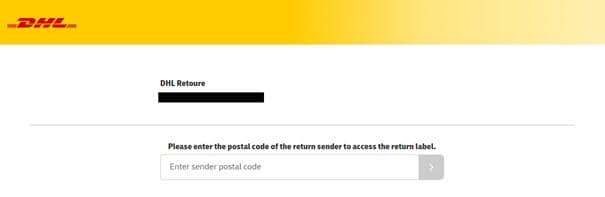
Instead, the email will contain a link. After entering the sender's postal code, the return label or QR code can be downloaded.
The process will now be as follows:

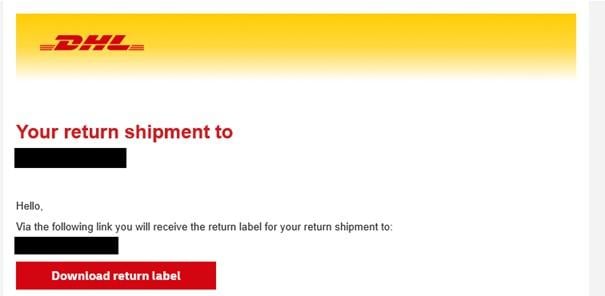
(1) The email contains a button labeled "Download Return Label," which leads to a website where the label can be downloaded.

(2) On that website, the sender's postal code must be entered.

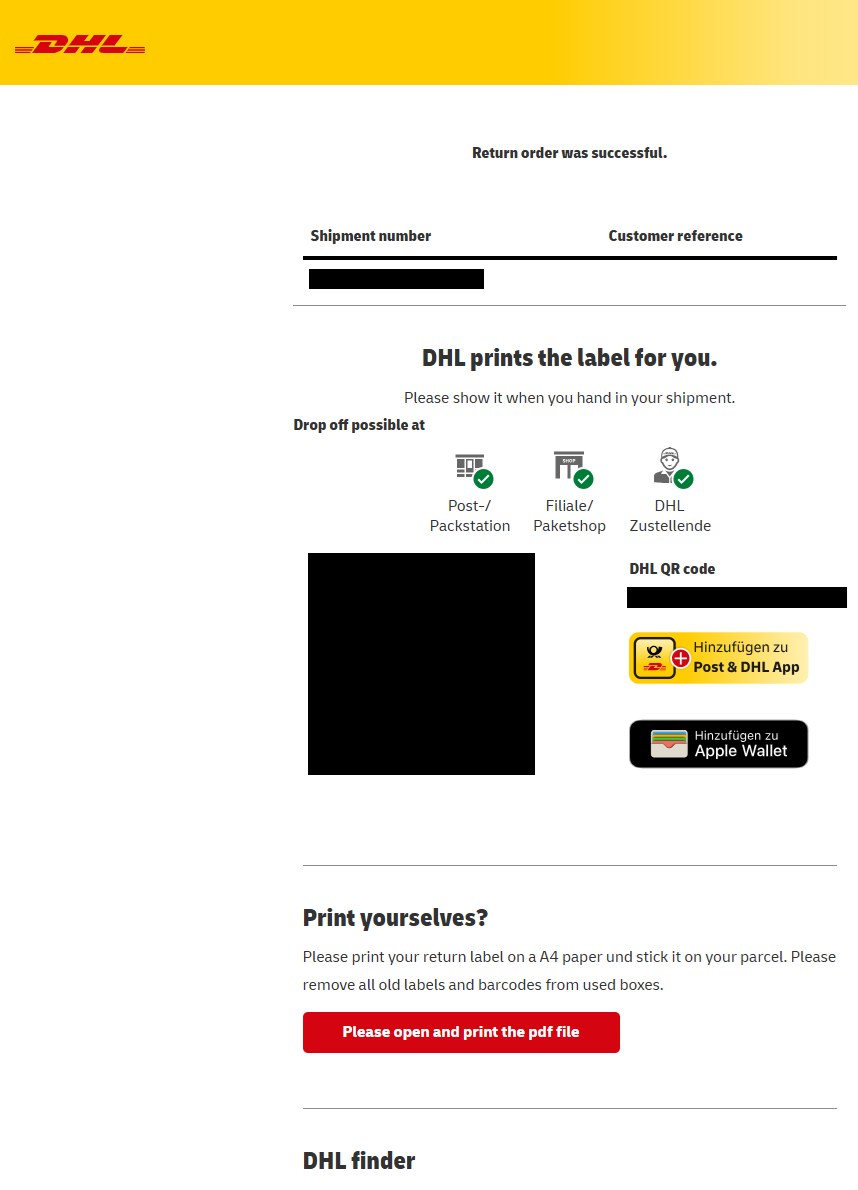
(3) After successful entry, the label or QR code can be downloaded.

On March 20, 2025, we successfully rolled out a new version of the returns function without any usage restrictions. Content of the deployment:

The design and layout of the returns function have been completely revamped and are now perfectly aligned with the design of the Post & DHL business customer portal. The intuitive user interface with clear structures will assist you in managing your return shipments even more efficiently.

The "Returns" function in the Post & DHL Business Customer Portal is now available with the following new features:

DHL Retoure International now also available for Norway as a sender country

  • The "DHL Retoure International" product has been expanded to include the sender country "Norway" as of 01.02.2025.
  • To order returns from Norway, you need a corresponding returns recipient (Receiver ID) with Norway as the sender country. You can find the list of return recipients under Returns -> Settings.
  • If you do not yet have a returns recipient (Receiver ID) for Norway, please contact your DHL sales contact.

New returns labels for returns from Sweden, Greece and Portugal

  • From 01.02.2025, the returns processes for the destinations Portugal, Sweden and Greece will be further standardized, which will improve the transit time, among other things. The layout of the returns labels for these countries will change. There is no need for you to take any action.

As of today the following new features are available in the function "Returns" of the Post & DHL Business Customer Portal:

  • For national returns, your customers can now conveniently load the QR code for mobile returns via a deep link in the “Meine Marken” section of the Post & DHL app. This makes it easier to use mobile returns, especially at app-controlled DHL Packstation.
  • Your customers will also find an “Add to Post & DHL App” button in the email with the returns label and on the download page.
  • The web service response of the returns API has also been expanded to include the deep link. This is available in the “qrLink” attribute.

As of today the following new features are available in the function "Returns" of the Post & DHL Business Customer Portal:

  • Return label
    From now on, return labels for DHL Retoure International from the sender country Poland are provided by the IPC (International Post Corporation).

As of now the following new features are available in the function "Returns" of the Post & DHL Business Customer Portal:

  • Return recipient
    From now on, major customer addresses are also permitted as return recipient addresses. Major customer addresses are stored in the DFC (Data Factory Cargo) database and do not have a street or house number. They only consist of the name, zip code and city.


As of now the following new features are available in the function "Returns" of the Post & DHL Business Customer Portal:

1. Customer reference

  • Special characters are now allowed in the customer reference field with the exception of pipe (|) and backslash ( / ). The permitted special characters in the text are also encoded in the barcode. This makes it easier for you to collect returns by scanning the customer reference on the label.
  • The number of characters allowed in the customer reference field has been adjusted to "Mobile Returns" and set to 30 characters.

2. EORI number

  • The "Economic Operators Registration and Identification" (EORI) number has been added to return recipients with sender country Switzerland or the United Kingdom in April 2023. The EORI must be specified in the import process for returns.
  • The EORI number field will be expanded to 22 characters so that customers with headquarters abroad can now add the German branch number to the foreign EORI number.
  • You can enter the EORI number for your return recipients with the sender country Switzerland or the United Kingdom by navigating to "Returns -> Settings" in the Post & DHL Business Customer Portal and editing the corresponding return recipients there. To do this, click on the "Pen" symbol. You must have permission to access the settings. If necessary, contact your company's main user with administration rights in the Post & DHL Business Customer Portal.

3. Recording of weight

  • It is now possible to use a comma when specifying weight (e.g. for returns from Sweden or Denmark).

FAQ

Ordering of return labels

Please log in to the Post & DHL Business Customer Portal and use the "Returns" function.

Under "Order a return" you create the return label for your customers and send it directly to the customers by e-mail. You will bear the costs for the return shipment.

Please log in to the Post & DHL Business Customer Portal and use the "Returns" function.

Under "Settings" for each return recipient, query the URL to your respective returns website via the magnifying glass symbol or export all valid URLs as a file via the "URLs & Receiver IDs" menu item.

Provide your customers with this link to your returns website (e.g., by email or on your website). Your customers can then order return labels for returns to your company themselves on the website, and you will bear the costs for the return shipment.

Please only use the API Retoure, details can be found in the Global DHL API Developer Portal at developer.dhl.com

If you use a merchandise management system or partner software, please contact your local contact person for further details.

Please log in to the Post & DHL Business Customer Portal and use the "Returns" function.

From within the "Returns" function, provide your customers with a link to purchase a pre-filled DHL shipping label for return shipping. You have two options for this:

  1. by Individualized Link (sent by email from the "Returns" function on your behalf). Here you can optionally include shipment and customer reference. The customer reference will be printed on the label. The link is valid for use by the end customer for 30 days.
  2. by Static Link (provision of a link by you (e.g., by email from your company or on your website).

You will receive information about the status of the returns in the "Returns overview" of the "Returns" function. Your customer will bear the costs for the return shipment.

Usage of DHL Returns Online

Basic settings
  • Activation/deactivation of the function for optional issuing of individual collection orders when ordering returns labels
  • Activation/deactivation of e-mails about returns labels created on the previous day
Recipient settings

The pencil icon allows you to make the following recipient settings:

  • Customize the name of the return recipient (Receiver ID) and edit address details
  • Upload your company logo to be displayed on the returns pages for your customers
  • Edit your recipient address and save all details for sending return labels by e-mail
Country settings
  • Define default language for each sending country
  • Define your desired name for the reference field
  • Store individual details for display on order pages
  • Define individual details for the returns e-mails

To access the returns settings in the Post & DHL Business Customer Portal, your Business Customer Portal user must have the appropriate authorization.

If this is not the case, please consult the person responsible for the Post & DHL Business Customer Portal in your company.

Click on the "URL & Receiver IDs" link in the "Returns" function under "Settings" to download the links and receiver IDs as a CSV file:

  • URL: Links to the returns websites
  • Returns Receiver: Web service order identifier (for more details, see Global DHL API Developer Portal at developer.dhl.com 

The following parameters can be appended to the returns URL after the HASH value via "&[parameter]" and "=[specification]":

Parameter Description

ShipmentReference

Shipment reference, will be displayed in the returns overview

CustomerReference

Customer reference, will be displayed on the return label

senderName1

Name1 of the sender

senderName2

Name2 of the sender

senderStreet

Street of the sender

senderStreetNumber

House number of the sender

senderCity

City of the sender

senderZip

Zip code of the sender

ADDR_SEND_EMAIL

E-mail address to which the return label should be sent

Example:

https://www.dhl.de/retoure/gw/rpcustomerweb/OrderEntry.action?hash=xxxx&ShipmentReference=1234&CustomerReference=5678&senderName1=Absender1&senderName2=Absender2&senderStreet=Straße1&senderStreetNumber=HNR1&senderCity=Ort1&senderZip=53113& ADDR_SEND_EMAIL=name@domain.de

Please note for publications on your own homepage that this website with the link to create return labels must not be findable by search engines.

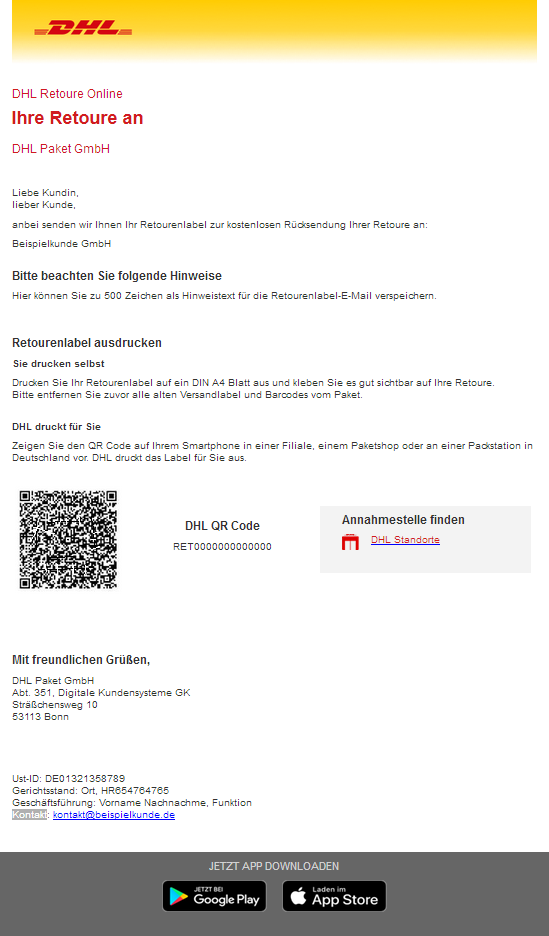
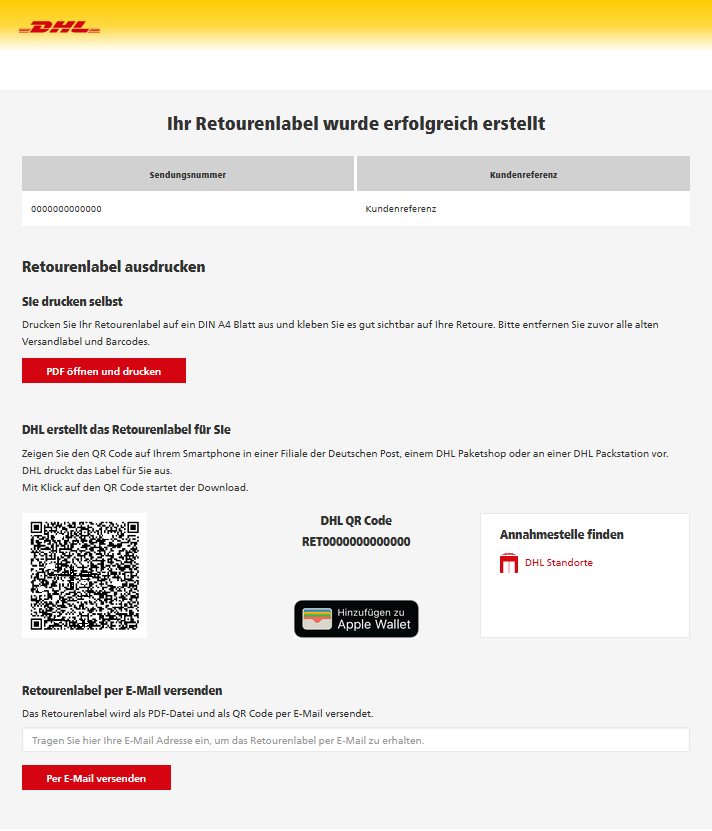
Your end customers will be provided with a QR code by email or as a link for downloading, which enables the return label to be printed as a mobile return slip at DHL Packstations or parcel stores, at Deutsche Post branches or at the DHL parcel delivery service.


Example of a mobile returns label via email


Example of a mobile returns label on a returns website/ download


If you have any technical questions about the "Returns" function, please contact DHL Returns Online Support, service hours Mon-Fri, 8 a.m. - 6 p.m. at

  • German: 0228 - 76 36 76 79 (selection 2)
  • English: 0228 - 76 36 76 59 (selection 2)

For assistance with API Retoure, please log into the Global DHL API Developer Portal at developer.dhl.com

Usage of DHL Retoure Selbstzahler

As a DHL business customer, we offer you a new returns option for returns within Germany, in which your customers pay for the shipping label for the return shipment. You provide your end customers with a link that takes them to DHL Online Franking, where they can purchase the shipping label pre-filled with your return address.

With DHL Retoure Selbstzahler, you as a DHL business customer are purely the "information and data provider". The private customer is the buyer of the shipping label and thus the contractual partner of DHL Paket. 

You must agree to the terms of use once before the first order for the creation of the Individualized Link of DHL Retoure Selbstzahler, as DHL sends emails to your customers on your behalf. By agreeing to the Terms of Use, you as a DHL business customer confirm that your customer has consented to the disclosure of his email address to DHL for the purpose of booking and executing the return.

As a DHL business customer, you must have an active parcel contract in the role of "Customer". 

In addition, you as a company (EKP) must be authorized once for DHL Retoure Selbstzahler in the Post & DHL Business Customer Portal (GKP), function "Returns". In the course of 2023, we will authorize all DHL Paket business customers to use DHL Retoure Selbstzahler in several activation waves. If you do not want to wait for this automatic activation, as a user with administration rights in the GKP you can request the authorization yourself at short notice under "Add new product" via the tile "DHL Retoure Selbstzahler". This way you could also cancel the use of DHL Retoure Selbstzahler.

Once that your company is authorized for "DHL Retoure Selbstzahler" the person with the role customer admin of GKP can authorize or revoke authorization for further GKP users of your company for DHL Retoure Selbstzahler via the GKP menu item "Manage users" 

When ordering DHL Retoure Selbstzahler for the first time via the Individualized Link, each user must agree to the Terms of Use once. By agreeing to the Terms of Use, you as a DHL business customer confirm that your customer has consented to the disclosure of his email address to DHL for the purpose of booking and executing the return.

If certain circumstances prevent you from agreeing to the Terms of Use, please use the Static Link to order DHL Retoure Selbstzahler.

It may be that your end customer has objected to receiving emails from DHL (so-called opt-out). In such cases, please contact your end customer and provide the Static Link for DHL Retoure Selbstzahler. You can obtain this link by clicking on the magnifying glass icon in the recipient overview in "Settings" for DHL Retoure Selbstzahler.

The same conditions apply to the return shipping label as to all shipping labels purchased by private customers in DHL Online Franking. The shipping label can be printed out and posted by the buyer at home or conveniently via QR code at one of our numerous DHL drop-off points or by the DHL deliverer.

For return shipping, we only offer products within Germany with tracking and liability. If required, your customer can book additional services such as transport insurance, roll, bulky goods, and pick-up. All shipping labels are climate-friendly thanks to the included GoGreen service, and transport by rail is available free of charge on selected routes. The recipient address (= your return address as a DHL business customer) is already pre-filled here and if you have included a customer reference via Individualized Link, this will be printed on the label.

DHL Retoure Selbstzahler is currently only available in the "Returns" function. If there is a high demand for a corresponding web service, the development of an API connection can be examined. Please get in touch with your DHL sales contact.

You can view the text and format of the email to your end customer here.

This is a standard text that is sent to your customer by DHL in your name and on your behalf. Therefore, the text or format cannot be customized. If you want to use a different text, we recommend the Static Link, which you can find under Returns / Settings. You can place this on your homepage, for example, or send it individually to your customer from your email system.

As the return shipping label is a DHL parcel for private customers, the prices and weights for DHL private customer parcels apply. Feel free to share hints with your customers on how to purchase the shipping label to optimize postage. The packaging must always be made of paper or cardboard.

Example text: "For the return shipment, you can use the packaging provided by us for the shipment send to you, provided it is intact. Please remove all shipping labels and barcodes beforehand. You may be able to optimize the return postage you have to pay by using smaller packaging and considering the appropriate dimensions and weight information when selecting the shipping label. The outer packaging should be cardboard or paper."

Downloads