Track & Trace

News

07/05/2025 - Revised request list for the "Track Parcel & Goods" Function

We have improved the request list for you in the following points:

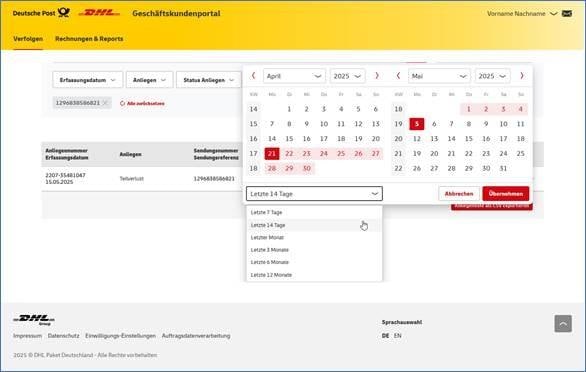
  • You can now select the display period using a calendar function (similar to the shipment list); the previous archive slider has been removed:
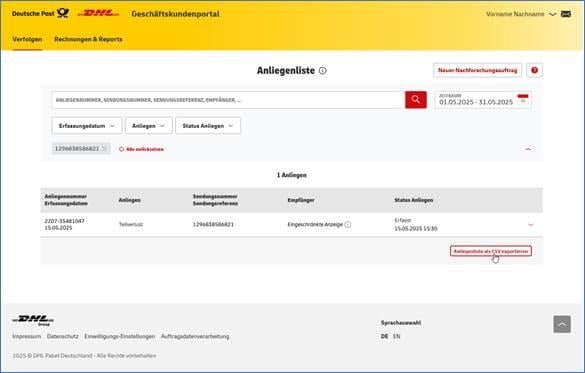
  • You can now export the request list as a CSV file:
  • Requests where you are the recipient of the shipment (returns) will now be additionally informed.
  • Requests related to shipments with the last event older than 40 days can now be displayed. Please keep in mind that the chances of success for inquiry requests are higher when submitted promptly.

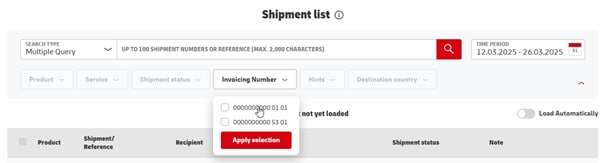
A filter for invoicing numbers was added to the Shipment List.

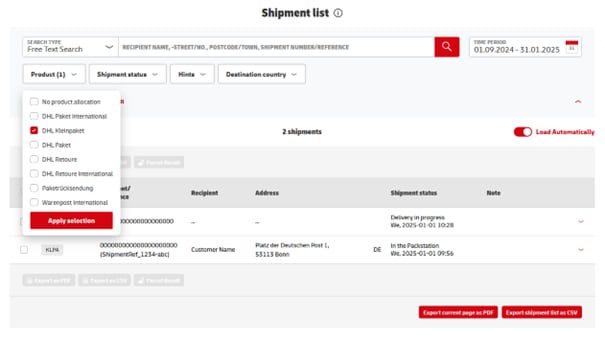
Jan 1st 2025 the DHL Kleinpaket has replaced the former product Warenpost. The product filter of the Shipment List was now adjusted:

Thank you for your latest feedback. We are pleased to announce the following developments in our parcel tracking:

Shipment List with Search Typ

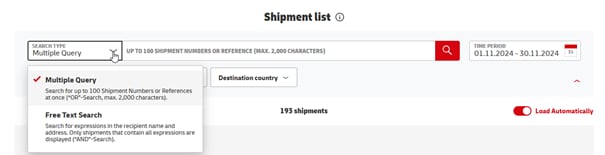
"Multiple Query" was added as search function for the Shipment List:

Shipment List

Please select "Multiple Query", if you want to search for more than one shipment number or reference of your Shipment List in the selected timeframe.

As before "Free Text Search" enables you to search for expressions in recipient names and addresses of your Shipment List in the selected timeframe.

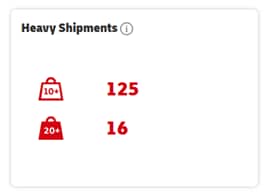
Weight Markings

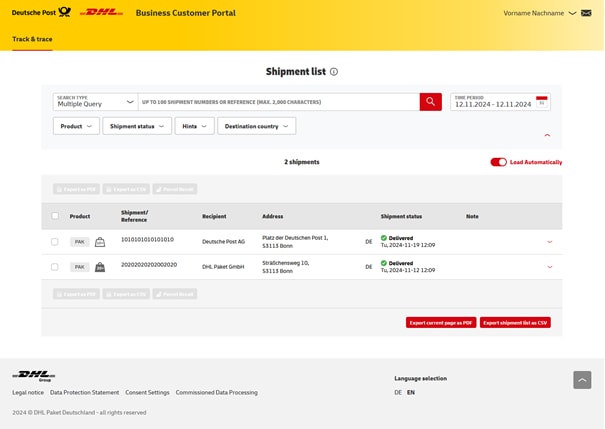
"Heavy Shipments" are now shown with the associated symbol:


Shipment List

Shipment Overview

Thank you for your feedback to the new free text search in the Shipment List, which we considered for the development of the Shipment Search. We are pleased to present the following improvements:

Limit of shipments in Shipment List increased to around 100

Previously, you could search for a maximum of 20 shipments using a tracking number or reference. Now up to 2,000 characters can be entered as search query, this means that depending on the length of the shipment number, up to 100 shipments can now be found.

Space and semicolon as separators in addition to comma

In the past, multiple shipment numbers or references always had to be separated from each other by a comma. Spaces or semicolons can now alternatively be used as separators for multiple shipment numbers or references.

Use cases for shipment search and shipment list

Please always use the shipment search if you want to search for specific shipments whose tracking number or reference you know.

If shipment number or reference are unknown, please use the shipment list. There you can narrow down all listed shipments of the selected timeframe to specific shipments by using filters and the free text search.
Thank you for your feedback to our "Track Parcels & Goods" function in the last months, which we considered for the further development of the function.

We are pleased to present the following changes in detail today:

1. Joint national and international shipments  

All shipments are now displayed in one Shipment Overview and Shipment List, in the past they were divided into national and international shipments.

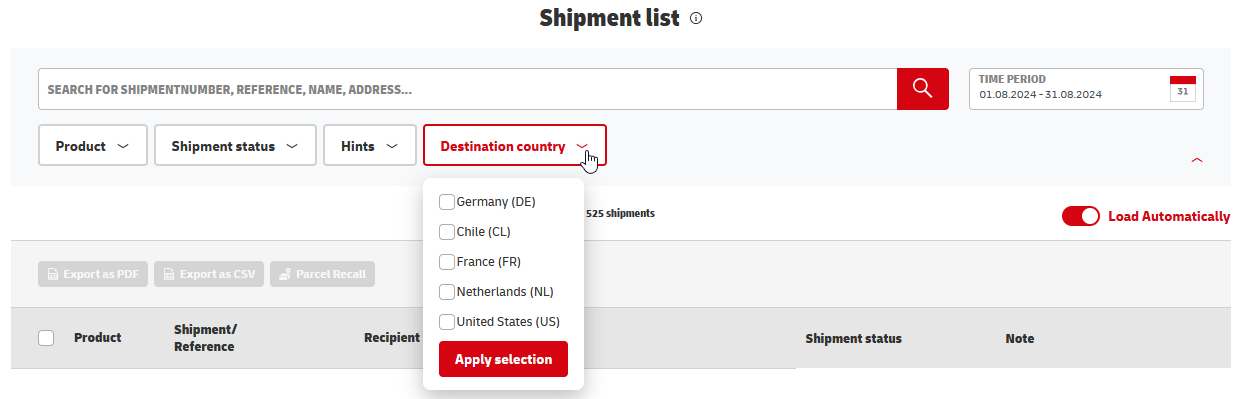
A "Destination Country" Filter was added to the Shipment List.

2. Revised free text search in the Shipment List

The Shipment Search allows to search for certain shipments by shipment number and reference.

If the shipment number or reference is unknown, the free text search of the Shipment List enables you to search for receiver names and addresses within your Shipment List.

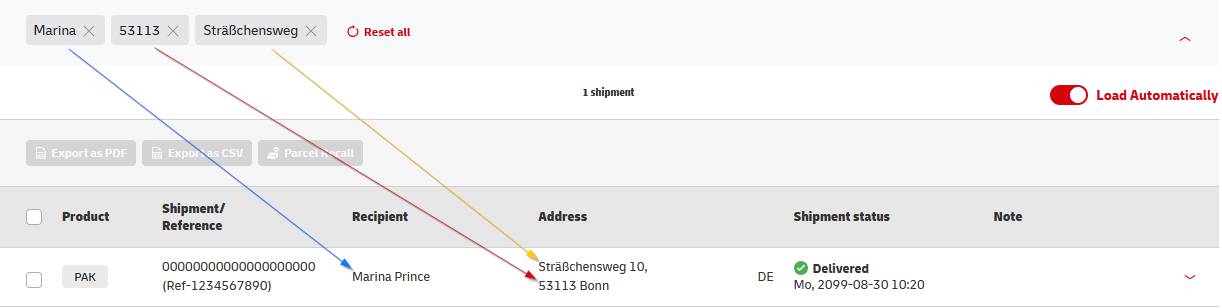
All entered search terms are now connected with each others, if several terms are entered, only shipments whose recipient name or address contains all search terms are displayed in the result list.

Search terms and selected filters are listed above the shipment list and can be easily be removed as search criteria. As before, the shipment list can further be refined with additional search filters and by date.

3. Enhanced postcode verification for Returns

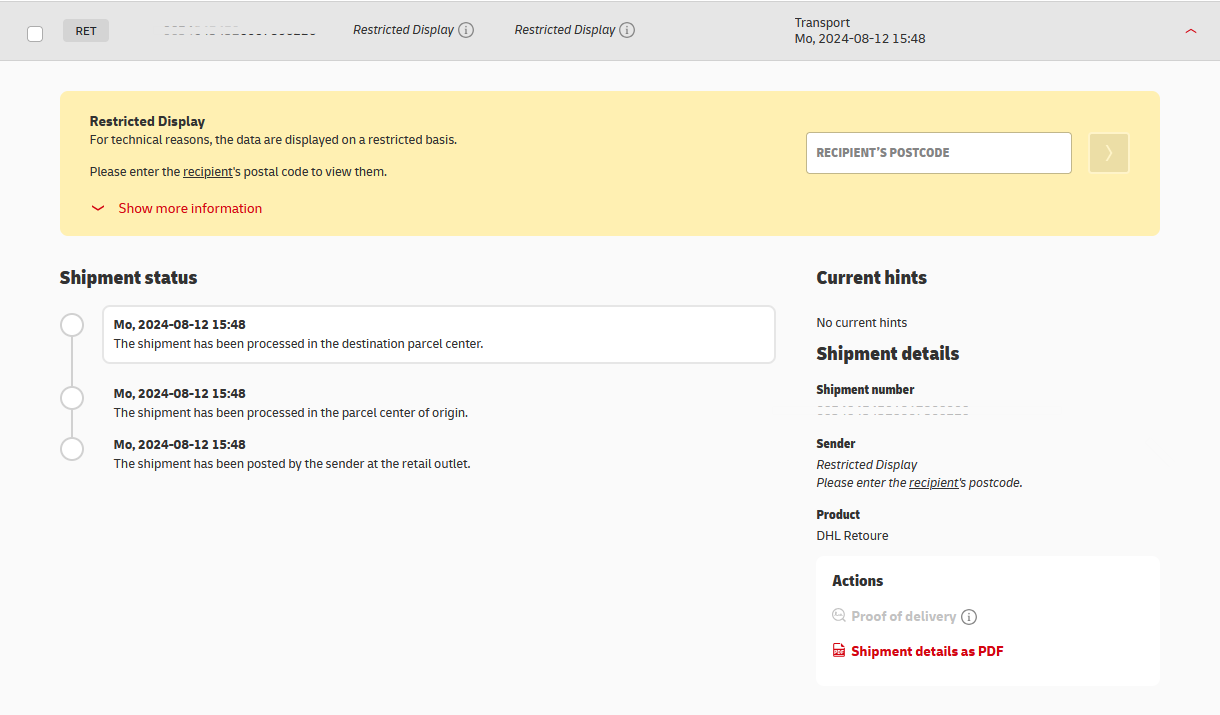
The postcode query was enhanced for DHL Retoure.

The shipment details of Returns for which electronic shipment data were provided ("PAN") are usually displayed. However, in order to meet high security and data protection standards, in some cases it may be necessary to enter the sender's postal code to show all details.

The details of Returns without shipment data ("PAN") on the other hand are always displayed on a restricted basis as no data synchronisation can be carried out.

After entering the recipient's postal code, in most cases all available details can now be displayed.

We inform you today of the introduction of authorization levels for the function "Track parcel & goods".

Authorization levels enable you to define, if shipment details are displayed after entering the corresponding postal code or directly, if the data quality allows doing so.

The following two levels are available:

  • shipment details are displayed after entering the postal code
  • shipment details are directly displayed

Effective immediately, you can find an overview under "Inquiry" in the "Track parcel & goods" function of the requests* you have lodged for the following topics:

  • Check loss
  • Disputed delivery
  • COD amount

You will see the respective request number at an early stage and can track its processing progress based on the request status.

You can conduct a search in the overview or filter the results according to the following details:

  • Entry date
  • Request (type)
  • Request status

Displayed are requests that receive a status since the morning of October 11, 2023.

See the online help page for more details at https://www.dhl.de/requestlist.

*Requirement: the requests were lodged in the "Inquiry" section of the Post & DHL Business Customer Portal and within 40 days of the most recent scan event.

FAQ

In addition to the shipment search using the shipment number and reference, the shipment overview and shipment list are available to you:

  • Shipment overview with graphic visualization of key figures for your shipments along the route
  • Shipment list with filters and free text search to narrow down shipments, as well as the option to execute actions
  • Optionally, you can export the shipment list as a file

In the shipment list, your current shipments (maximum 10,000) are displayed as a table, divided into "National shipments" and "International shipments". You can extend the viewing period to 12 months using the "Archive" slider.

You can further narrow down your shipment list using free text search and filter selection.

In the bottom menu you can go to the next page and export the shipment list as a file. This requires the associated permission.

In the "Shipment search" function, you can search for individual shipments or up to 50 shipments at the same time using the shipment number or shipment reference. The shipment details are displayed in the results list and helpful shipment-related actions are available to you (e.g. create a research order).

In addition to the shipment search using the shipment number and reference, the shipment overview and shipment list are available:

  • Shipment overview with graphic visualization of key figures for your shipments along the route.
  • Shipment list with filters and free text search to narrow down shipments, as well as the option to execute actions.
  • Optionally, you can export the shipment list as a file.

In principle, the shipment data is available to you in the "Track Package & Goods" function for 12 months.

The following shipment-related "actions" (depending on the respective product, shipment status and your authorizations) are possible:

  • Show proof of delivery
  • Order parcel stop
  • Download shipment details as a PDF file
  • Send shipment status via email

Downloads

Check the status of your shipments online at any time and put together and view your own personal shipping statistics.