When ordering parcels, always indicate your personal post number and the number of the desired Packstation in addition to your name. Moreover, enter the zip code and the location of the respective Packstation:
| Example | Instructions |
|---|---|
| Max Mustermann | -> Your name |
| 7654321 | -> Your post number from your customer account |
| Packstation 123 | -> Packstation with number |
| 12345 Musterdorf | -> Zip code and location of the Packstation |
Many online retailers provide designated input fields for the post number and Packstation number for deliveries to a Packstation. If this is not the case, simply enter your address as a separate delivery address.
You are not restricted to a specific Packstation, meaning you can freely choose any Packstation for each parcel.
Important: If the full name and the post number do not doubtlessly belong to the same customer account, the delivery person unfortunately cannot place the shipment in the Packstation. This means that delivery to family members using a common post number is not possible.
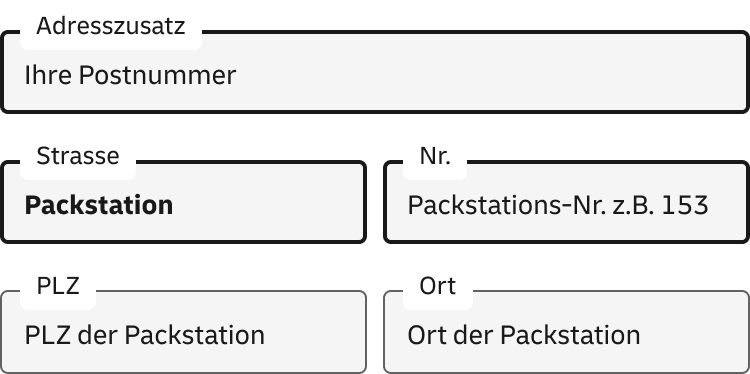
To receive your shipment at a Packstation, simply enter it as the delivery address in three easy steps.
- After your first and last name, enter your personal customer number (also called Postnummer) in the 'Address addition' field. You can find it on your DHL customer card or in the Post & DHL app. If the 'Address addition' field is not available, you can simply add your Postnummer after your last name, separated by a space.
- In the street field, write 'Packstation', and in the house number field, enter the three‑digit number of the Packstation you want to use.
- Now just enter the postal code and city of the desired Packstation. Done.
You can find all Packstations with their locations and address details in the Postfinder.
Thank you for your feedback.
)
)
)